
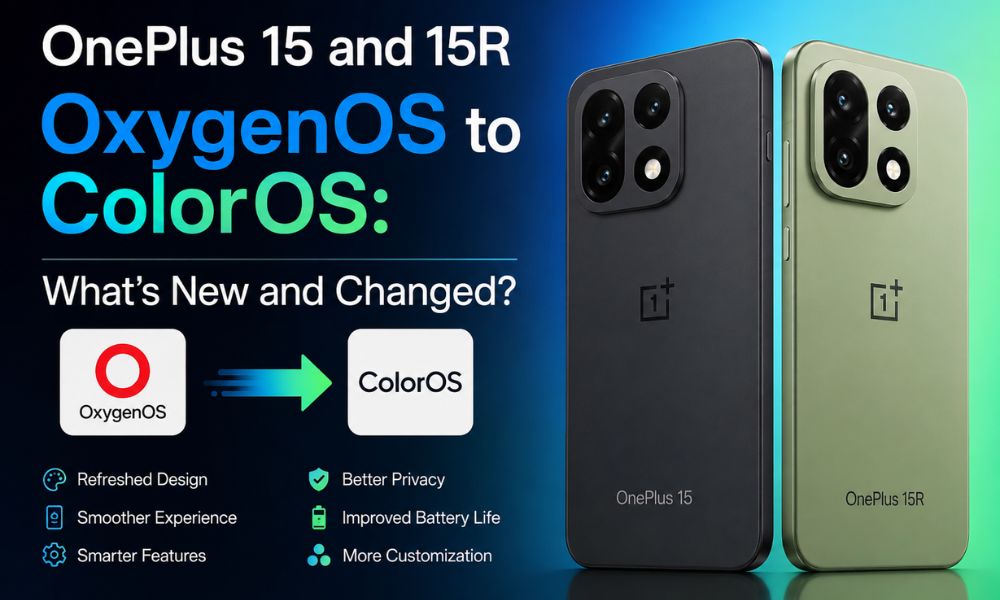
OnePlus has officially begun the transition from OxygenOS to ColorOS, with the ColorOS 17 Closed Beta testing programme now starting for the OnePlus 15 and OnePlus 15R in India.
The move marks a significant change in OnePlus’ software experience, as ColorOS 17 is based on Android 17 and introduces a redesigned interface, visual improvements, performance optimizations, and several new features.
The OnePlus 15 and OnePlus 15R are currently the first phones in India to enter the ColorOS 17 beta programme. However, users should remember that this is a closed beta rather than a stable public release. Beta software can contain software issues or bugs, crashes, compatibility problems, and other unexpected behaviour.
For users who want a stable-ready experience and need OxygenOS for everyday work, banking, gaming, communication, or other important tasks, it may be better to wait until the software becomes more mature.
ColorOS 17 Closed Beta Testing Programme Begins in India
The ColorOS 17 Closed Beta testing programme is currently limited to a small group of OnePlus users in India. According to the supplied information, the programme is limited to around 300 users of the OnePlus 15 and OnePlus 15R.
Applicants are required to meet specific conditions, including having an Indian variant of the supported smartphone and a registered OnePlus account. The application process also includes a 15-question quiz, while selected participants may be required to agree to a Non-Disclosure Agreement (NDA).
The application window was briefly available from August 6 to August 7, 2026. Selected beta testers may also be required to join a Telegram group or other communication channel where they can share feedback and report problems to the software team.
Because the programme is designed for testing, users should create a complete backup before installing the beta firmware.
OnePlus 15 and OnePlus 15R Mark a Major Software Shift
The transition from OxygenOS to ColorOS is more than a simple interface update. It represents a major change in OnePlus’ software direction. OxygenOS has traditionally been associated with a clean interface, fluid animations, customization options, and a relatively lightweight software experience. With ColorOS, OnePlus is moving closer to OPPO’s software ecosystem.
The new software is expected to bring several design and system-level changes. These include redesigned pop-up menus and buttons with more rounded corners, improved animations, enhanced visual effects, and deeper use of OPPO’s Luminous Rendering Engine.
The goal is to provide smoother transitions, better visual effects, improved efficiency, and a more consistent system experience.
What Is New in ColorOS 17?
ColorOS 17 is based on Android 17 and introduces several changes compared with the previous OxygenOS experience.
Redesigned User Interface
One of the most visible changes is the updated design language. Pop-up menus, buttons, and other first-party interface elements are expected to feature more rounded corners.
Icons are also expected to receive changes, while the lock-screen notification experience may receive additional gesture-based functionality.
Improved Visual Effects
ColorOS 17 makes greater use of OPPO’s Luminous Rendering Engine, which is designed to improve effects such as real-time blur, lighting, and system transitions.
These changes could make everyday interactions feel more polished and visually smoother.
Performance and Stability Improvements
Another major focus is system performance. ColorOS 17 is expected to improve system speed, efficiency, and stability while optimizing the overall experience for everyday tasks.
However, beta testers should not expect everything to work perfectly from day one. Since this is test software, there could be bugs and glitches that are resolved through future beta updates.
Additional Features
The supplied information also highlights several other expected changes, including an AI Assistant, call-recording functionality without an announcement, incoming-call poster support, lock-screen notification gestures, and updated icons.
Some features may be changed, restricted, or refined before the stable version is released.
OxygenOS 16.1 and ColorOS 16.1: What Should Users Expect?
Users should also be careful when comparing OxygenOS 16.1 and ColorOS 16.1 with the upcoming ColorOS 17 experience. Software versions can differ by region, device model, and testing stage.
If your OnePlus 15 or OnePlus 15R is currently running a stable OxygenOS version and your priority is reliability, there is no need to rush into beta software simply to experience the new interface.
For users who need OxygenOS for a stable daily experience, remaining on an official stable build may be the safer choice until ColorOS 17 receives additional testing and bug fixes.
What Software Issues or Bugs Could Beta Testers Face?
Installing beta software always comes with some level of risk. The supplied information highlights several possible issues that users should consider before joining the programme. If you update to any new software version or beta release, you may encounter various issues, such as bugs, errors, overheating, or other unexpected problems.
Similar issues have been reported with updates such as iOS 26.5.1 and One UI 8.5. However, there is no need to worry, as these issues can usually be resolved gradually through subsequent software updates and patches.
App Crashes and System Instability
Some applications may crash unexpectedly or fail to work correctly after the update. Animations could also become inconsistent, and certain system features may not behave as expected.
Update or Installation Failure
An interrupted or incomplete OTA download can potentially create installation problems. In some situations, users may need to enter recovery mode or use official recovery procedures to restore the device.
Connectivity Problems
Beta builds can also introduce temporary Wi-Fi, VPN, or other network-related problems. These issues may not affect every user but can sometimes require a later software patch.
Missing or Incomplete Features
Because ColorOS 17 is still being tested, some features may be incomplete or behave differently from the final version.
Therefore, users should not judge the final ColorOS 17 experience solely on the basis of an early closed-beta build.
OxygenOS to ColorOS Could Bring Software Bloat
One of the concerns surrounding the OxygenOS to ColorOS transition is the possibility of additional pre-installed applications and services. ColorOS may include OPPO-style applications such as an App Market, Game Center, and other regional services. Some users may consider these unnecessary, particularly if they prefer the cleaner OxygenOS experience.
Users could also encounter additional notifications or suggested-app prompts. Some lock-screen features may provide promotional content depending on the region and configuration.
Possible Loss of OxygenOS Features
The transition could also change or remove some features that OnePlus users associate with OxygenOS.
For example, users may notice differences in:
- Quick Settings and Control Center customization
- Shelf functionality
- Icon packs and customization options
- Lock-screen effects
- Always-on display styles
- Gesture controls
- App drawer customization
- Certain OxygenOS visual elements
This does not necessarily mean that every feature will disappear permanently. Some functionality could be redesigned or replaced with ColorOS alternatives.
How to Prepare Before Installing ColorOS 17 Beta
Before participating in the ColorOS 17 Closed Beta testing programme, users should take several precautions.
1. Back Up Your Data
Create a complete backup of photos, videos, documents, contacts, SMS messages, call logs, applications, and other important files.
Google Backup, Google Contacts, cloud storage, or local backup solutions can help protect important information.
2. Charge the Phone
Keep the battery sufficiently charged before starting the installation. A charge level above 70% is recommended in the supplied guidance.
3. Free Up Storage
Make sure there is enough free storage for the firmware download and installation. Removing unnecessary files and applications can help avoid storage-related problems.
4. Check Device Compatibility
Only install the official beta build intended for your specific OnePlus model and region. The supplied requirements mention the OnePlus 15 and OnePlus 15R Indian variants.
5. Use a Stable Wi-Fi Connection
A reliable Wi-Fi connection is recommended to prevent an incomplete download or interrupted installation.
6. Understand the Recovery Process
Before installing beta software, users should understand how to access recovery mode and where to obtain official firmware if a recovery becomes necessary.
How to Apply for the ColorOS 17 Beta
Eligible OnePlus 15 and OnePlus 15R users can check the beta programme through the software update section. Check the Device Requirements in indian variant. OnePlus 15 (CPH2745_16.0.9.400) or OnePlus 15R (CPH2767_16.0.9.401).
Go to Settings > System & Updates > Software Update. From there, open the three-dot menu and look for the Beta Program option.
If the closed-beta programme is available for the device, users can select the relevant option and submit their application. The application may require account verification, completion of the required quiz, and other information.
After approval, selected testers may receive instructions through SMS or other official communication channels. The ColorOS 17 beta should then become available through the software update section.
Should You Install ColorOS 17 Beta?
The answer depends on what you expect from your smartphone. If you enjoy testing new software, want to experience Android 17 features early, and are comfortable reporting bugs, the beta programme can provide an opportunity to experience ColorOS 17 before the wider rollout.
However, if your OnePlus 15 or OnePlus 15R is your primary device and you depend on it for work, banking, communication, content creation, or other important activities, waiting for a more stable release may be the better option.
Remember, there could be bugs and glitches during the beta period. Battery performance, application compatibility, animations, connectivity, and other system functions can change as testing continues.
Final Verdict
The OnePlus has officially begun the transition from OxygenOS to ColorOS represents one of the biggest software changes for OnePlus users. With ColorOS 17, the company is moving toward a software experience more closely aligned with OPPO while bringing Android 17, a redesigned interface, improved visual effects, performance optimizations, and additional features.
The OnePlus 15 and OnePlus 15R are currently the first phones in India to enter the ColorOS 17 beta programme, giving selected users an early opportunity to test the new software. However, beta software is not intended to provide the same stability as a final release.
Users who want a stable-ready phone and need OxygenOS for everyday reliability should consider waiting until the transition is more mature. For beta testers, the most important steps are simple: back up your data, keep sufficient battery and storage available, use a stable internet connection, and be prepared for software issues, bugs, crashes, and other unexpected problems.
The transition from OxygenOS to ColorOS could ultimately provide a more unified software platform and introduce new capabilities, but the real experience will become clearer as OnePlus continues testing and releases more stable builds.