
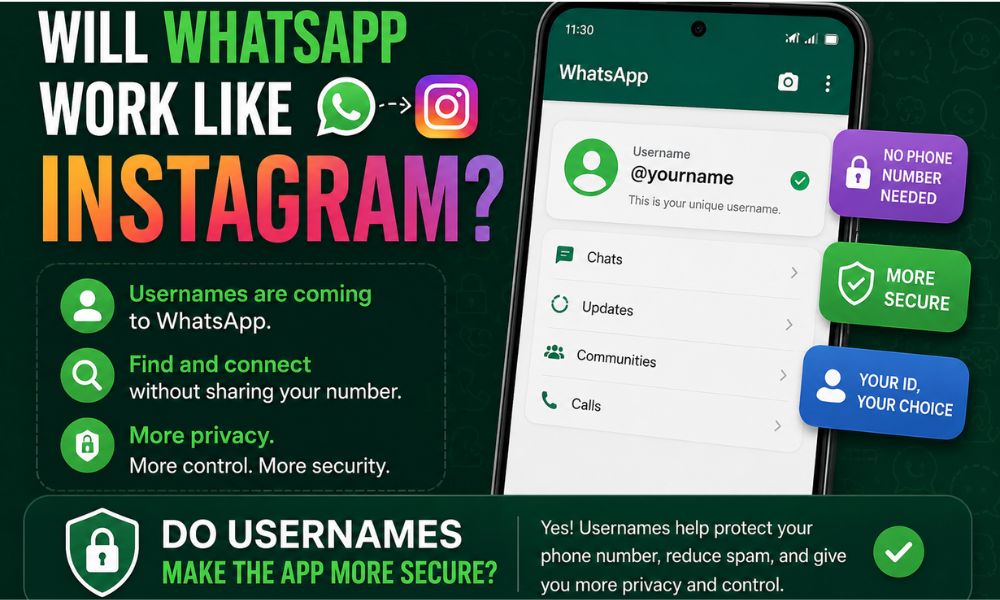
WhatsApp is preparing one of its biggest privacy-focused updates by introducing unique usernames, allowing users to connect without revealing their phone numbers. Similar to Instagram, the new system lets people search and message others using a username instead of a mobile number. This feature gives users greater control over their privacy while making it easier to communicate with new contacts.
WhatsApp is rolling out the feature to reserve a username, and it is expected to become available to users worldwide in phases. Whether you’re a regular user, content creator, business owner, or public figure, this update offers a safer and more convenient way to connect with others.
What Is a WhatsApp Username?
A WhatsApp username is an optional unique identifier you can choose for your WhatsApp account. Instead of giving someone your phone number, you can simply share your unique WhatsApp username to start a conversation.
This system works similarly to Instagram, where usernames provide an extra layer of privacy. Unlike Instagram, however, WhatsApp will not maintain a public username directory. Someone must know your exact username before they can contact you.
This privacy-first approach helps reduce spam while making it easier to communicate securely with people you don’t want to share your personal number with. One of the biggest advantages of WhatsApp usernames is enhanced privacy.
Cybercriminals and hackers often use exposed phone numbers in phishing attempts, social engineering attacks, or other hacker techniques to gather personal information. By sharing a unique username instead of your mobile number, users can reduce the risk of exposing their personal details and add an extra layer of privacy when communicating with new contacts.
Key Features of WhatsApp Usernames
Username-Based Messaging
One of the biggest changes is that WhatsApp is set to let people chat by using usernames instead of phone numbers when contacting someone for the first time. Before the introduction of WhatsApp usernames, many users hesitated to join public groups or communities because their phone numbers could be visible to other members, raising concerns about privacy and the potential misuse of personal information.
With the new username feature, users can participate in groups, communities, and conversations more confidently by sharing a unique username instead of their phone number, making it easier to protect their personal information.
This is particularly useful when:
- Joining community groups
- Contacting businesses
- Networking professionally
- Buying and selling online
- Meeting new people safely
Your existing contacts will continue to see your saved phone number as usual.
Privacy-Centric Design
Unlike some messaging platforms, WhatsApp prioritizes privacy.
There is:
- No public username search directory
- No browsing of random profiles
- No exposure of your phone number to strangers
- Users will only be able to contact you if they already know your username.
This significantly improves privacy while reducing unwanted messages.
Optional Feature
One important point is that Usernames are an optional feature.
You do not have to create one if you prefer using WhatsApp with your phone number.
If you decide to create one later, you can also modify or remove it whenever you want.
Requirements to Create a Unique Username
Before you finally create a username on WhatsApp, make sure you meet the following requirements.
You Need
- Latest version of WhatsApp
- Verified phone number
- Primary mobile device
Username Rules
Usernames need to be between three and 35 characters.
Allowed characters include:
- Lowercase letters (a-z)
- Numbers (0-9)
- Periods (.)
- Underscores (_)
Restrictions include:
- Must contain at least one alphabet letter
- Cannot begin with “www.”
- Must follow WhatsApp’s naming guidelines
If your preferred username is already taken, WhatsApp will suggest alternatives using its built-in username generator.
Benefits of WhatsApp Usernames
1. Increased Privacy
Instead of exposing your mobile number, you can simply share your unique WhatsApp username.
This is particularly useful when interacting with people you don’t know personally.
2. Better Spam Protection
Since users must know your exact username, random spam messages become much harder. There is no searchable username database available to the public.
3. Secure Communication
The feature allows safer conversations while maintaining WhatsApp’s end-to-end encryption. Your chats remain protected even when initiated through usernames.
4. Ideal for Businesses
Businesses can continue using their WhatsApp business name while also reserving a matching username for easier customer communication. This creates a more professional identity without exposing business phone numbers unnecessarily.
5. Perfect for Creators
Content creators can reserve the same handle they already use on Instagram, Facebook, or other social media platforms. Maintaining consistency helps audiences find official accounts more easily. Many creators will likely match their whatsapp username instagram branding to keep a consistent online identity across Meta platforms.
6. Reserved Usernames for Public Figures
WhatsApp plans to reserve usernames for:
- Celebrities
- Government organizations
- Politicians
- Verified public figures
This helps prevent impersonation and fake profiles.
How to Reserve Your WhatsApp Username
If the feature is available for your account, follow these steps.
On iPhone
- Update WhatsApp from the App Store.
- Open WhatsApp.
- Tap You.
- Select Account.
- Tap Username.
- Enter your preferred username.
- Save the changes.
On Android
Update WhatsApp from Google Play Store.
- Open WhatsApp.
- Go to Settings.
- Tap Account.
- Select Username.
- Choose an available username.
- Save it.
Currently, username management appears only on your primary mobile device and is not available on WhatsApp Web or Desktop.
Rollout Details
Currently, WhatsApp is rolling out the feature to reserve a username gradually.
Not everyone will receive the feature immediately.
If you don’t see the Username Option inside Account settings, simply wait for the next update. WhatsApp typically releases new features in stages to ensure stability.
Users will receive access once the feature becomes available in their region.
WhatsApp Username Ideas
If you’re unsure what username to choose, here are some WhatsApp username ideas:
- johnsmith
- techwithalex
- emily.design
- travel_diary
- gamer_raj
- Foodie2026
- smartwriter
- codinglife
- photography.pro
Choose something memorable, professional, and easy to share.
Can You Change Your Username?
Yes
WhatsApp allows users to change their username whenever they want.
If your preferred username becomes unavailable or you simply want a new identity, you can edit it through Settings > Account > Username.
There is currently no strict limit on how many times you can change it, although WhatsApp may introduce reasonable restrictions in the future to prevent misuse.
What About WhatsApp Reverse Username?
Many users have searched for WhatsApp reverse username functionality, wondering if they can identify someone’s phone number through a username.
At launch, WhatsApp does not provide a reverse lookup feature. Usernames are designed to enhance privacy, meaning you cannot simply search a username to reveal the owner’s phone number.
This is one of the major differences between WhatsApp and some other messaging platforms.
Final Thoughts
The new username system represents one of WhatsApp’s most significant privacy improvements in recent years. By allowing users to create a unique username instead of sharing their mobile number, WhatsApp offers safer communication while preserving the platform’s strong privacy standards.
Whether you’re an everyday user, creator, or business owner, this feature makes connecting with new people more secure and professional. If you’re eligible, update the app and get WhatsApp usernames by visiting Settings > Account > Username.
As the global rollout continues, more users will soon be able to finally create a username on WhatsApp and enjoy an Instagram-style experience without compromising personal privacy.
FAQs
1. Do I need to create a WhatsApp Business username?
No A WhatsApp business name will continue to work as before. Creating a username is optional, but businesses can reserve one to make it easier for customers to contact them without sharing a phone number.
2. Can I use WhatsApp without creating a username?
Yes Usernames are an optional feature, and you can continue using WhatsApp with your verified phone number exactly as you do today.
3. What is the procedure to get WhatsApp usernames?
Update WhatsApp to the latest version, open Settings > Account > Username (Android) or You > Account > Username (iPhone), then choose an available username and save it.
4. Can I change my WhatsApp username multiple times on iPhone?
Yes WhatsApp currently allows users to change their username through the Account settings whenever needed. Future updates may introduce limits to prevent abuse.
5. Is everyone required to create a username?
No Creating a username is completely optional. Existing users can continue communicating with their phone numbers without making any changes.
6. Is it mandatory to create a username?
No WhatsApp does not require users to create a username. It simply provides an additional privacy option for those who prefer not to share their phone number with new contacts.