
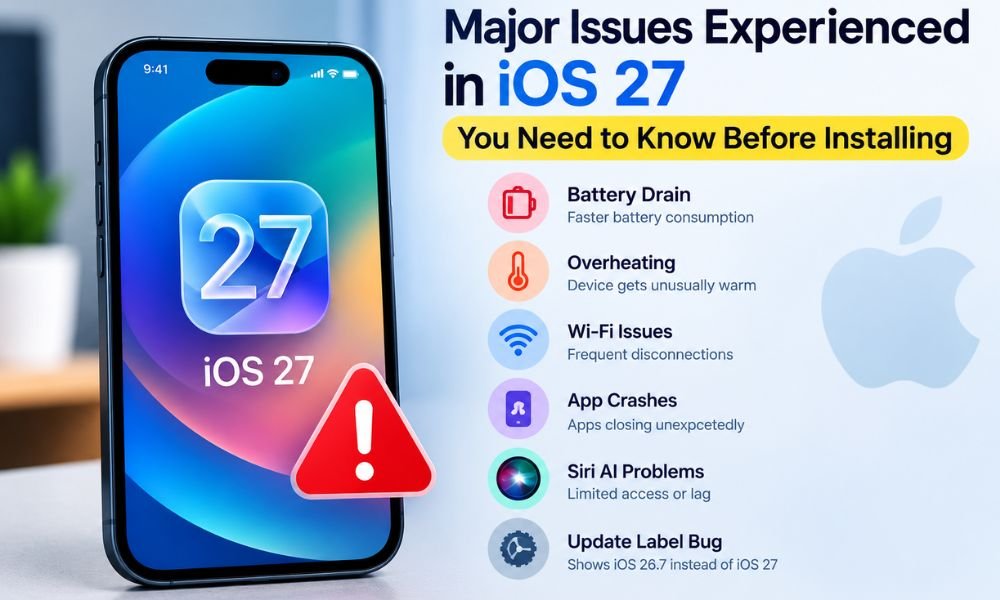
Apple’s iOS 27 introduces major changes, including new Apple Intelligence capabilities, a redesigned interface, improved Siri features, and other system enhancements. However, as with major software releases, some users may experience bugs or temporary performance issues after upgrading.
In the iOS 26.6.1 update, some users may experience battery drain, heating issues, or the update getting stuck. Similar issues have also been reported by some iOS 27 users. These types of errors can occur with software updates and are relatively common during the early stages of a new release.
The most commonly reported iOS 27 problems include faster battery drain, heating, Wi-Fi connectivity issues, app crashes, Siri AI availability problems, and occasional software-update display bugs. Some of these issues can occur because the iPhone performs background tasks after installation, while others may be related to app compatibility or specific device configurations.
If you are wondering, “Is my iPhone running hot, slow, or crashing?”, there are several things you can check before assuming that iOS 27 has caused a serious hardware or software problem.
1. Faster Battery Drain After Installing iOS 27
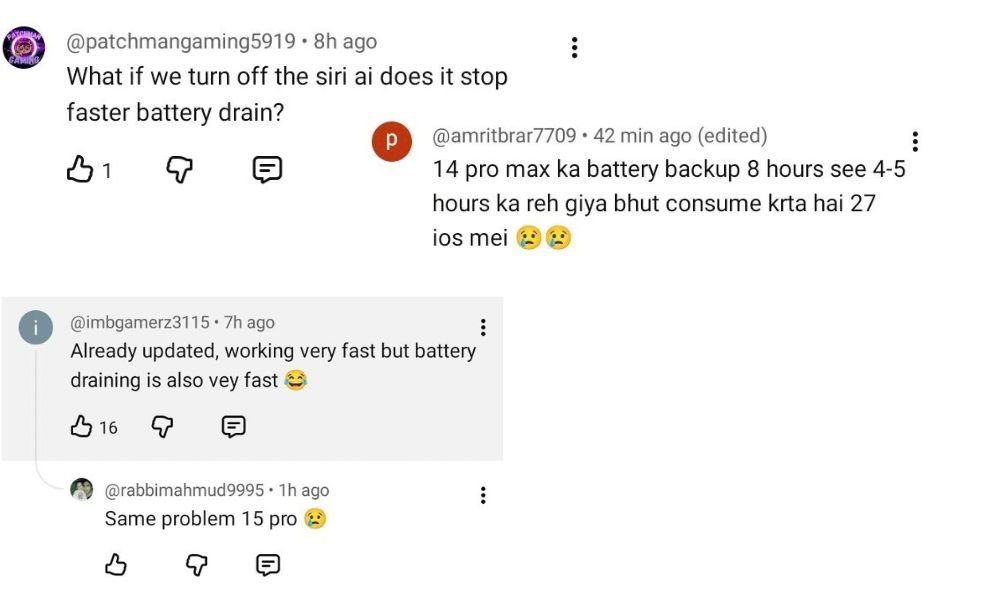
One of the most common complaints after a major iOS update is rapid battery drain. After some users experienced severe battery drain with iOS 26.6.1, iOS 27 has also raised concerns about battery drain and other performance issues.
After installing iOS 27, an iPhone may perform several background activities, including indexing Photos and Spotlight content, synchronizing iCloud data, processing Apple Intelligence features, and optimizing system files.
These processes can temporarily increase processor and battery usage. As a result, users may notice faster battery drain during the first few days after upgrading.
How Long Can Battery Drain Last?
Temporary battery drain can continue while the system completes its post-update tasks. For some users, battery performance may stabilize within several days. However, if the battery continues to drain unusually quickly after the initial adjustment period, it is worth investigating which apps or system processes are consuming the most power.
Go to:
Settings → Battery
Here, you can review battery usage by app and identify applications that may be contributing to unusually high power consumption.
You can also check whether an app has been updated for iOS 27.
2. iPhone Running Hot After the Update
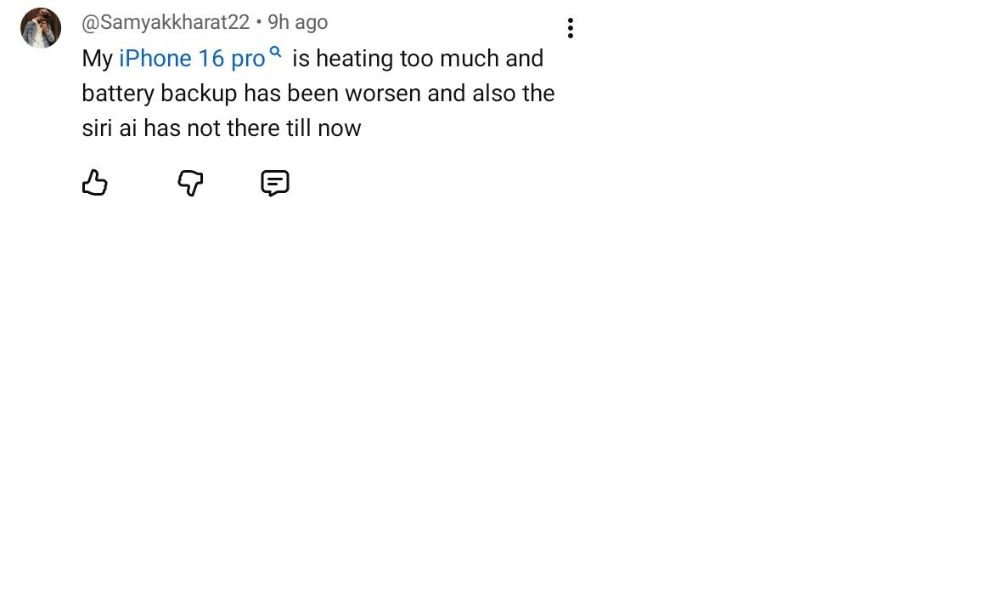 Another issue some users may notice after installing iOS 27 is that their iPhone runs hot or may slow down. A small amount of additional warmth can be expected when the device is performing intensive background tasks. Photo indexing, iCloud synchronization, app updates, and other system processes can temporarily increase processor activity. However, persistent or excessive heating is different.
If your iPhone becomes unusually warm during light tasks such as browsing or messaging, check battery usage and recently installed or updated apps. Avoid using the iPhone for demanding activities while it is already hot, particularly when charging. If excessive heating continues for an extended period, restarting the device and checking for another iOS update may help.
3. Wi-Fi or Bluetooth Connectivity Trouble

Some users may experience Wi Fi or Bluetooth connectivity trouble after upgrading to a new version of iOS. Some users are frustrated with this update and have reported network-related problems, leading them to consider iOS 27 one of the more problematic iOS updates.
Potential symptoms include:
- Wi-Fi disconnecting unexpectedly
- Slow Wi-Fi speeds
- Difficulty connecting to a known network
- Bluetooth accessories disconnecting
- Problems reconnecting headphones, speakers, or cars
- The first step is to restart the iPhone and the affected router or Bluetooth accessory.
- If Wi-Fi problems continue, users can try resetting network settings.
Go to:
Settings → General → Transfer or Reset iPhone → Reset → Reset Network Settings
Keep in mind that this removes saved Wi-Fi networks and passwords, VPN settings, and other network-related configurations, so you will need to reconnect afterward. For Bluetooth problems, forgetting the affected accessory and pairing it again can also help.
4. Siri AI Missing or Not Activating
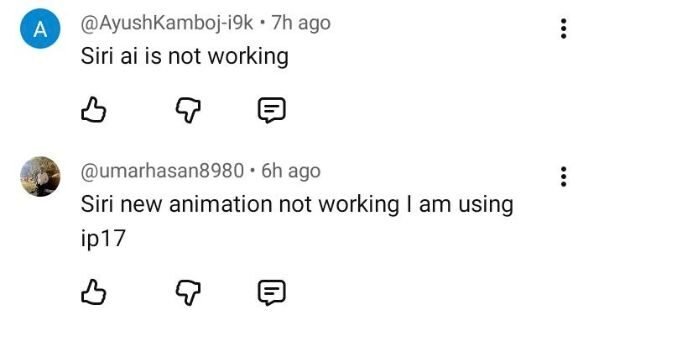
Siri is another area where users may encounter confusion after upgrading to iOS 27. Some users may expect the new Siri AI capabilities to appear immediately after installing the operating system. However, access to specific Apple Intelligence or Siri features can depend on the iPhone model, language, region, and feature availability.
Hardware compatibility is particularly important because not every iPhone that supports iOS 27 necessarily supports every Apple Intelligence feature. Therefore, installing iOS 27 does not automatically guarantee access to every new Siri AI capability. If Siri AI features are unavailable, check your device compatibility, language and region settings, and whether the relevant Apple Intelligence features are enabled.
5. Apps Crashing or Failing to Open
Another common problem after a major operating system upgrade is application instability. If an app was developed or optimized for an older version of iOS, it may not work properly immediately after the iOS 27 update.
Users may experience:
- Apps closing unexpectedly
- Apps freezing
- Apps taking longer to open
- Apps refusing to launch
- Certain features not working
The first solution is to open the App Store and update all available applications. Developers frequently release compatibility updates around major iOS releases. If only one application continues to crash, deleting and reinstalling it may help. However, make sure important data associated with the app is synchronized or backed up before deleting it.
6. iPhone Feels Slow After iOS 27
Some users may also feel that their iPhone has become slow after installing iOS 27. It is also a minor issue after the update. Temporary slowdowns can occur while the system is completing background tasks. An iPhone may also become less responsive if it is simultaneously performing indexing, synchronization, app updates, and other processes.
If performance does not improve after several days, check your available storage and battery condition. A nearly full storage drive can affect the overall user experience. You should also make sure that all applications are updated. Restarting the iPhone can also resolve temporary software glitches.
7. iOS 26.7 Appearing Instead of iOS 27
Another reported issue involves the software update interface. Some users may encounter a situation where selecting the option to upgrade to iOS 27 displays an iOS 26.7 update card instead. iOS 26.7 is a minor security-focused update. Before installing iOS 27, users may see iOS 26.7 as the available update first. Installing the latest available update can help keep the iPhone secure and up to date before upgrading to iOS 27.
This can understandably create confusion because the user expects to see the new iOS 27 installation screen. If the issue is related to the update interface rather than the actual software version, users can wait for Apple to correct the presentation. Another possible approach is to update the iPhone through Finder on a Mac if the appropriate software update is available there.
Before attempting a major update through a computer, make sure important data is backed up.
8. General First-Day Instability
Major operating system updates can produce different experiences across devices. Some users may experience smooth performance immediately, while others may encounter battery drain, heating, app crashes, connectivity problems, or minor interface glitches.
The experience can also vary depending on the iPhone model, installed applications, available storage, network conditions, and settings. Therefore, one person’s experience with iOS 27 does not necessarily mean every iPhone will encounter the same problem.
What Should You Do If Your iPhone Has Problems?
If you have recently installed iOS 27 and notice problems, try these basic troubleshooting steps:
| Problem | Possible Solution |
|---|---|
| Faster battery drain | Give the device time to complete background tasks and check Settings → Battery |
| Heating | Restart the iPhone and avoid demanding tasks while it is hot |
| Wi-Fi problems | Restart the router and iPhone or reset network settings |
| Bluetooth issues | Forget and reconnect the accessory |
| Apps crashing | Update or reinstall the affected app |
| Slow performance | Restart the iPhone and check available storage |
| Siri AI unavailable | Check device, language, region, and feature compatibility |
| Update-label problem | Wait for Apple's correction or try updating through Finder |
When Should You Be Concerned?
Not every battery or performance issue after an iOS update indicates a serious problem. Temporary battery drain and warmth can occur during the period immediately following a major software installation. However, you should pay more attention if the problem continues for an extended period.
For example, consider investigating further if:
- Battery drain remains unusually high after several days.
- The iPhone continues overheating during basic tasks.
- Multiple applications repeatedly crash after being updated.
- Wi-Fi or Bluetooth remains unreliable after troubleshooting.
- Cellular service stops working.
- The device cannot activate properly.
- The iPhone repeatedly restarts or becomes unusable.
If serious problems persist, checking Apple’s support resources or contacting Apple Support may be appropriate.
Final Verdict
iOS 27 brings significant software changes, but major updates can also introduce temporary bugs and compatibility problems. Faster battery drain, heating, Wi-Fi or Bluetooth connectivity trouble, app crashes, and temporary slow performance are among the issues users may encounter after upgrading. After installing a new iOS update, users may experience minor or major bugs and errors.
If Apple resolves these issues quickly through subsequent updates, they may be considered temporary concerns. However, if the problems continue for a longer period and significantly affect the user experience, they can become a major concern. Despite these issues, iOS updates can also bring improvements in performance and new features. For example, iOS 27 may offer a better Siri AI experience, more Liquid Glass customization options, and several other improvements as Apple continues to refine the software.
If your iPhone is running hot, slow, or crashing, there is no need to immediately assume that the device has suffered permanent damage. Background indexing, iCloud synchronization, application compatibility, and other post-update processes can temporarily affect performance.
At the same time, persistent rapid battery drain, excessive heating, repeated crashes, or connectivity failures should not simply be ignored. Checking battery usage, updating apps, restarting the device, and resetting network settings can resolve many common problems.
Overall, the severity of an iOS 27 issue depends on the particular iPhone, application, and configuration involved. Users experiencing temporary problems may see them improve as the device completes its post-update tasks and developers release compatibility updates.