
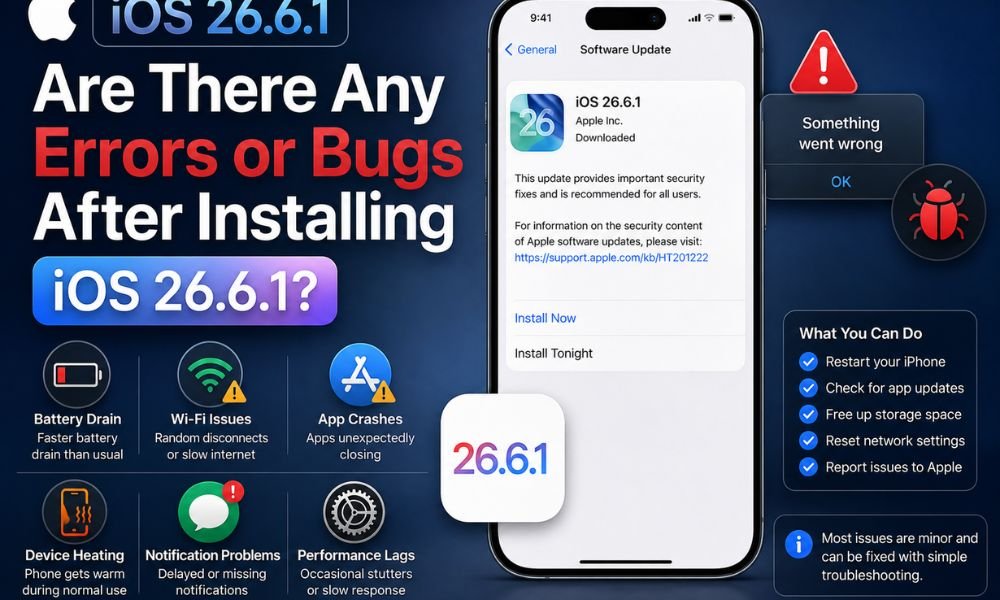
Apple’s iOS 26.6.1 update is primarily focused on security improvements and vulnerability fixes rather than introducing major new features. The update addresses 29 security vulnerabilities affecting several important iPhone components, including WebKit, the kernel, ImageIO, Telephony, and Audio.
Although iOS 26.6.1 is generally considered a stable update, some iPhone users have reported minor issues during installation and shortly after updating. These include problems downloading the update over the air (OTA), the installation remaining stuck on an update screen, and temporary background device setup activity.
Bugs and issues are a major concern after any software update. For example, the One UI 8.5 update reportedly caused several problems for some users. Similarly, some iOS 26.6.1 users have reported difficulties such as overheating, delayed notification, battery drain, and installation problems.
Here’s everything you need to know about the iOS 26.6.1 issues, security fixes, installation problems, battery performance, and potential bugs.
iOS 26.6.1 Security Update: What Does It Fix?
The biggest reason to install iOS 26.6.1 is its focus on security. Apple has addressed 29 vulnerabilities across multiple system components, making the update particularly important for users who regularly browse the web, download files, open images, or connect to different networks.
Several of the vulnerabilities affect WebKit, which is the browser engine used by Safari and various web-related functions throughout iOS.
The WebKit fixes include vulnerabilities involving:
- Memory corruption
- Use-after-free errors
- Improper bounds checking
- State-management issues
- Potential crashes
- Potential exposure of sensitive information
In certain circumstances, maliciously crafted web content could potentially exploit these weaknesses. This is why security updates involving WebKit are important even when users do not notice any visible changes after installing the update.
Kernel Vulnerabilities Also Addressed
The iOS kernel is one of the most important parts of Apple’s operating system because it manages core system functions, hardware resources, memory, and communication between applications and the operating system.
iOS 26.6.1 includes patches for kernel-related vulnerabilities involving issues such as system crashes and memory corruption.
Kernel-level vulnerabilities can potentially be more serious than ordinary application bugs because successful exploitation could affect fundamental parts of the operating system. Apple therefore regularly patches these vulnerabilities through software updates.
For everyday users, these fixes may not produce any noticeable change. However, keeping the operating system updated helps reduce the risk associated with known security vulnerabilities.
ImageIO Security Fixes
Another area addressed in iOS 26.6.1 is ImageIO, Apple’s framework for processing image files.
Image-processing vulnerabilities can be particularly important because users frequently receive images through messaging apps, websites, email, and other services. The update addresses vulnerabilities that could potentially result in denial-of-service conditions or arbitrary code execution when processing specially crafted files.
In simple terms, a maliciously created image could potentially exploit a weakness in the way the operating system processes it. Installing the latest security update reduces exposure to these known vulnerabilities.
Telephony and Network Security Improvements
iOS 26.6.1 also includes a security fix related to Telephony and IPSec authentication.
IPSec is used to provide secure communication over networks. A weakness in authentication could potentially create opportunities for malicious network activity under certain circumstances.
While most users will never notice this particular fix, it demonstrates that the update isn’t limited to Safari or application-level security. Apple has also addressed vulnerabilities affecting communications and networking components.
What Issues Have Users Reported With iOS 26.6.1?
Despite being a security-focused release, some users have reported issues while downloading or installing iOS 26.6.1. These are some of the problems users have faced after installing the latest iOS update. While these issues do not appear to affect all iPhone users, they may cause temporary inconvenience during or shortly after the update process.
OTA Download Problems

Some users have experienced difficulties downloading iOS 26.6.1 through the normal OTA update process.
Reported situations include the update remaining stuck on “Update Requested” or the device requiring a Wi-Fi connection before the download could proceed. OTA update problems can occur for several reasons, including Apple’s update servers experiencing high demand, insufficient storage, unstable network connections, or temporary software issues.
If your iPhone is stuck while requesting the update, waiting for some time and trying again later may resolve the problem.
Update Cancelled

Some users, including those with newer iPhone models like iPhone 15 pro max, iPhone 17 Air Pro Max have reported encountering a “Software Update Failed” error while attempting to install iOS 26.6.1. In some cases, the update may stop during the download or installation process. Some users have also reported an “Update Paused”.
This issue can be frustrating, particularly for users who want to install the latest security fixes. This issue can also occur due to a weak internet connection, insufficient storage, temporary server congestion, or other installation-related problems that may prevent the update from completing successfully.
Background Device Setup After Updating
Another issue some users have noticed after installing iOS 26.6.1 is a message indicating that background device setup is still in progress.
This can sometimes appear in the Battery section of Settings.
Although the message may look concerning, background activity immediately after a software update is not necessarily a bug. iOS may need to perform several tasks, including:
- Re-indexing files
- Optimizing applications
- Updating system databases
- Processing photos and other media
- Completing system configuration
- Performing background maintenance
These activities can temporarily increase processor usage and battery consumption.
If the activity disappears after some time and battery performance returns to normal, there is generally little reason for concern.
Does iOS 26.6.1 Cause Battery Drain?

One of the most common concerns after any iOS update is battery drain. Increased battery consumption can be frustrating, especially when users notice that their iPhone is losing power faster than usual after installing a new software update.
Some users have reported battery-related concerns across different iPhone models, including the iPhone 13, iPhone 15, and iPhone 17 series.
It is normal for an iPhone to consume more battery immediately after a software update. The device may perform background activities such as system indexing, app optimization, photo processing, and other setup tasks, which can temporarily increase battery usage and device temperature.
If the battery drain continues for several days, users can check Settings > Battery to identify which apps or system activities are consuming the most power. Updating apps, restarting the iPhone, and ensuring that the latest software is installed may also help resolve temporary battery-related issues.
Does iOS 26.6.1 Cause Overheating?
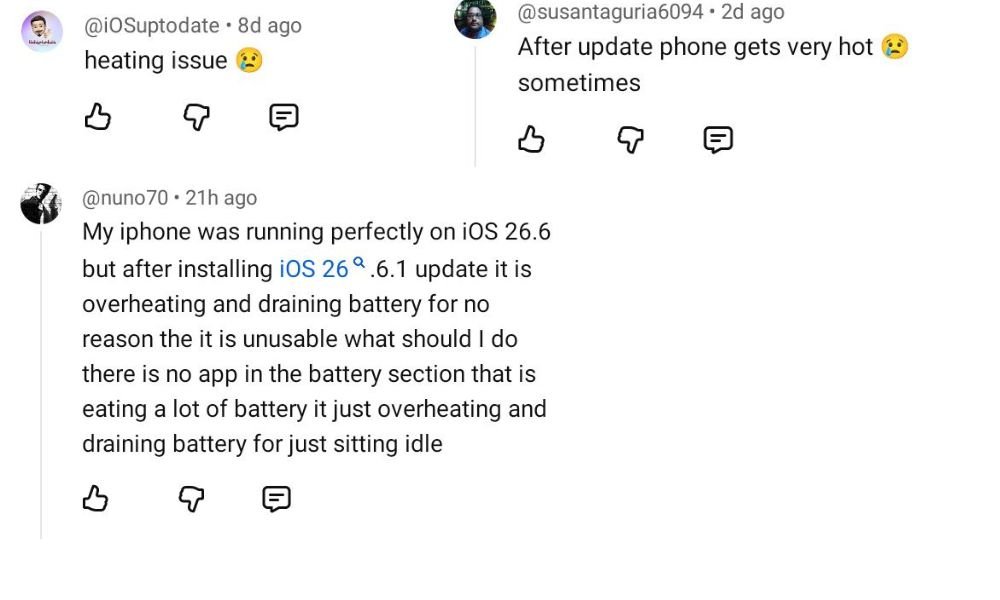
There are also concerns about whether iOS 26.6.1 causes iPhones to become unusually hot.
A small increase in temperature immediately after updating can be normal. Background indexing, app optimization, system configuration, and other processes can temporarily place additional load on the processor.
Using the iPhone heavily while these processes are running can make the device feel warmer than usual. However, persistent overheating should not simply be ignored. If the iPhone remains unusually hot during light usage, users should check battery and app activity and consider restarting the device.
Are Shortcuts Automations Fixed in iOS 26.6.1?
Another area worth watching is Apple Shortcuts. Some users experienced automation problems in iOS 26.6, particularly with workflows triggered when opening applications. There has not been clear confirmation that iOS 26.6.1 completely resolves all of these Shortcuts automation problems.
If you depend on Shortcuts for important daily workflows, it is therefore a good idea to test your automations after installing iOS 26.6.1.
Check whether:
- App-based automations trigger correctly
- Personal automations run as expected
- Notifications appear normally
- Automated actions execute without interruption
If your automation continues to work correctly, there may be nothing further you need to do.
Is iOS 26.6.1 Safe to Install?
For most users, iOS 26.6.1 should be considered an important update because its primary purpose is to fix security vulnerabilities. Security updates are generally worth installing because leaving known vulnerabilities unpatched can expose a device to potential security threats.
Before updating, however, users should take a few basic precautions.
Back Up Your iPhone
Before installing any operating system update, it is recommended to have a recent backup of important data.
You can use iCloud or another supported backup method to protect your photos, messages, documents, and other important information.
Check Available Storage
Make sure your iPhone has enough free storage to download and install the update.
Insufficient storage can cause installation problems or prevent the update from downloading properly.
Connect to Power
If your battery level is low, connect the iPhone to a charger before beginning the installation.
A stable Wi-Fi connection is also recommended when downloading an OTA update.
Which iPhones Support iOS 26.6.1?
iOS 26.6.1 is available for iPhone 11 and later models, assuming the device is supported for this software release.
To check whether the update is available on your iPhone, go to:
Settings > General > Software Update
If iOS 26.6.1 is available for your device, you should see the update information along with the option to download and install it.
Availability can sometimes vary depending on Apple’s rollout process, network conditions, or the update channel being used.
What Should You Do If iOS 26.6.1 Gets Stuck?
If the update remains stuck on “Update Requested”, don’t immediately assume that your iPhone has a serious problem.
You can try the following steps:
- Make sure you are connected to a stable Wi-Fi network.
- Check that your iPhone has sufficient storage.
- Connect the device to power.
- Wait for some time and try again.
- Restart the iPhone if the update remains stuck.
- Check Software Update again after restarting.
If the problem continues, users can consider Apple’s official support options or other supported update methods.
Should You Install iOS 26.6.1?
Yes, most iPhone users should consider installing iOS 26.6.1, particularly because it focuses on fixing 29 security vulnerabilities across important components of iOS.
The reported problems appear to be relatively minor and primarily involve OTA installation, temporary background setup activity, and potentially existing Shortcuts automation issues.
Temporary battery consumption or increased device temperature immediately after installation can occur while iOS completes background indexing and optimization. Users should therefore give the device some time to finish these tasks before determining whether the update has affected battery life.
Overall, iOS 26.6.1 is more about security and system protection than new features. If your iPhone is compatible, keeping it updated is generally the safer choice. Users who depend heavily on Shortcuts automations should simply test their workflows after updating to ensure everything continues to function properly.