
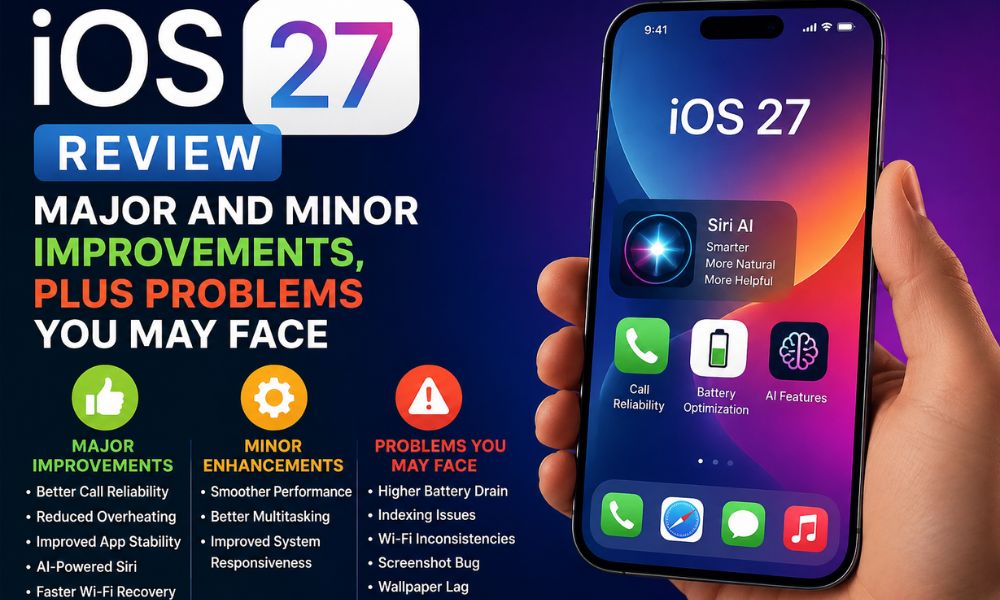
iOS 27 is the newest version of iOS, bringing a smarter Siri experience, deeper Apple Intelligence integration, improved system stability, enhanced calling reliability, and several under-the-hood optimizations. Apple continues its AI-focused approach with AI-powered Siri, making everyday interactions more natural while refining overall performance.
After spending time with the update, it becomes clear that iOS 27 is a much more responsive operating system than its predecessor. However, like every major software update, it also introduces a few bugs and performance issues that users should know before upgrading.
iOS 27 First Impression
The first experience with iOS 27 feels polished and refined. It was clean, familiar, and easy to navigate, making the transition from previous versions seamless for most users.
One of what’s new in iOS 27 is its increased focus on artificial intelligence. Apple has introduced the new Siri AI, improved background optimization, and better communication features while maintaining the familiar iPhone experience.
Users installing iOS 27 Beta 1 or iOS 27 Beta 2 may notice temporary battery drain and slight performance slowdowns immediately after updating. This is mainly due to background indexing, photo analysis, Messages synchronization, and Apple Intelligence processing.
1. Battery Performance: Better Than iOS 26.5.1 but Still Behind iOS 26.4
During the first few days after installation, users may experience increased battery drain because indexing and Apple Intelligence processes continue running in the background. This behavior is expected and usually settles after several days.
Compared with iOS 26.5.1, battery performance appears slightly improved. Devices remain more consistent throughout the day, and idle battery drain is lower in many situations.
However, when compared to iOS 26.4, battery efficiency still falls behind. Users who prioritize maximum screen-on time may notice that iOS 26.4 remains the stronger performer. The addition of new AI-powered features and background processing likely contributes to the increased power consumption in iOS 27.

Battery Verdict
- Better than iOS 26.5.1
- Temporary battery drain during indexing
- Still behind iOS 26.4
- Apple Intelligence increases background activity
2. Storage Management Still Needs Improvement
Another area where users may notice limitations is storage management. Although Apple has made optimizations to system files, the introduction of Apple Intelligence features requires additional resources. Ios 27 adds AI models, cached data, and processing components occupy extra storage space over time.
Users with 128GB devices may especially notice reduced free storage after enabling AI-powered features. While storage performance itself remains smooth, the actual space savings many users expected from iOS 27 have not fully materialized.
Storage Verdict
- Stable storage performance
- AI features consume additional storage
- No major breakthrough in storage optimization
- Regular cleanup may still be necessary
3. Improved Calling Reliability
One of the strongest improvements in iOS 27 is network calling stability. Many users who experienced occasional call drops and call failures on previous versions report better performance after updating. Voice calls generally feel more reliable, especially in areas with moderate cellular coverage.
This improvement can significantly enhance everyday usability for users who depend heavily on voice communication.
Calling Improvements
- Reduced call drops
- Better call connection reliability
- Improved voice quality
4. Faster Wi-Fi Reconnection
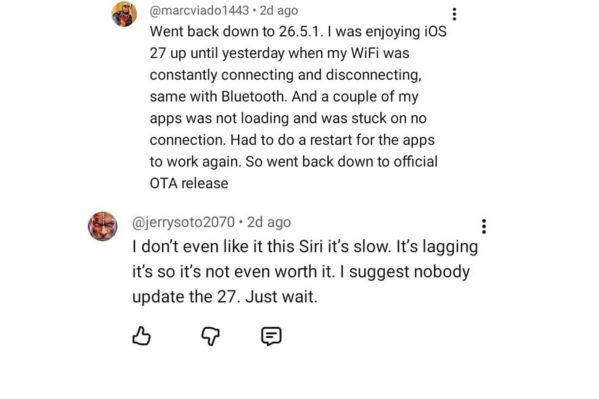
Apple has introduced improvements to network recovery systems, often referred to as reconnectivity enhancements. When Wi-Fi encounters temporary disruptions, the device now reconnects more efficiently in many situations. Users experiencing buffering, connection interruptions, or Wi-Fi toggling issues may notice faster recovery times compared to previous versions. Although not perfect, these improvements help reduce the frustration associated with unstable network connections.
Benefits
- Faster Wi-Fi reconnection
- Reduced buffering-related interruptions
- Improved network recovery behavior
5. Overheating Is Significantly Reduced
Overheating was a major concern for many users running iOS 26.5. The good news is that iOS 27 appears to manage thermals much better. During everyday tasks such as browsing, social media usage, messaging, and video streaming, devices remain noticeably cooler. Heavy gaming and AI-related tasks can still generate heat, but overall temperature management is far more controlled than before.
Thermal Performance Verdict
- Major improvement over iOS 26.5
- Better sustained performance
- Reduced heat during normal usage
- More comfortable daily experience
6. Improved App Stability
Application crashes were another issue affecting some users on earlier versions of iOS. iOS 27 improves overall app stability and reduces random crashes in many popular applications. Users who frequently experienced apps closing unexpectedly may find the update worthwhile for this reason alone.
While occasional bugs still exist, the operating system feels more reliable during daily multitasking.
App Stability Improvements
- Fewer unexpected app crashes
- Better multitasking reliability
- Improved background process management
7. Wallpaper Animation Lag Still Exists
Unfortunately, not every issue has been resolved. Wallpaper lag continues to appear in some situations, especially with animated backgrounds and dynamic visual effects. Similar behavior was reported on iOS 26.5 and remains present in iOS 27.
Although this issue does not affect functionality, it can make the user interface feel less polished than expected.
Wallpaper Issue
- Occasional animation stutters
- Dynamic wallpapers can lag
- Present in previous versions as well
8. Screenshot Cropping Bug
One of the most noticeable bugs in iOS 27 involves screenshots. Some users report that after taking a screenshot and immediately attempting to crop or edit it, the editing interface crashes unexpectedly. This issue appears to affect workflow productivity and can become frustrating for users who frequently annotate screenshots.
Apple will likely address this problem in a future software update.
Screenshot Bug
- Editing interface may crash
- Cropping screenshots can fail
- Likely to be fixed in a future update
9. AI-Powered Siri Is Smarter but Still Behind Gemini
Perhaps the biggest highlight of what’s new in iOS 27 is AI-powered Siri. The new Siri AI is more conversational and understands context better than previous versions. Smarter Siri can maintain conversations, understand follow-up questions, and integrate more deeply with Apple Intelligence.
Hindi language optimization also requires further refinement. Users who primarily interact in Hindi may occasionally experience inconsistent results, weaker contextual understanding, and limited conversational depth.
Siri AI Verdict
- Better than previous Siri versions
- Improved conversational understanding
- Smarter Siri with Apple Intelligence
- Still behind Gemini in advanced AI tasks
- Hindi support requires optimization
10. Photos App AI Features Need More Refinement
Apple has introduced AI-powered tools such as Cleanup, Extend, and Reframe within the Photos app. While these features can produce impressive results, they are not always stable. Some users report occasional crashes while using advanced editing tools.
The functionality itself is promising, but optimization appears incomplete in the current release.
Photos Issues
- Cleanup tool may crash
- Extend feature occasionally unstable
- Reframe processing errors
- Needs additional optimization
iOS 27 Beta Updates
Developers testing iOS 27 Beta 1 and iOS 27 Beta 2 should review Apple’s official documentation for the latest fixes and known issues. The iOS & iPadOS 27 Beta 2 Release Notes typically include bug fixes, performance improvements, and changes to Apple Intelligence features before the stable public release.
Final Verdict: Should You Update to iOS 27?
iOS 27 is the newest version of iOS, offering meaningful improvements in thermal management, calling reliability, app stability, and Apple Intelligence. If you’re upgrading from iOS 26.5.1, the update provides a smoother and more responsive experience.
Although battery life still trails iOS 26.4 and a few bugs remain—including screenshot editing crashes, Photos app instability, and occasional Wi-Fi issues—the advantages outweigh the drawbacks for most users.
Pros
- Better call reliability
- Reduced overheating
- Improved app stability
- AI-powered Siri with smarter conversations
- Faster Wi-Fi reconnection
- More responsive overall performance
Cons
- Battery life behind iOS 26.4
- AI features use more storage
- Occasional Wi-Fi inconsistencies
- Screenshot cropping crash
- Wallpaper animation lag
- Siri still behind Gemini AI
- Photos AI tools need further optimization
Overall, iOS 27 is a worthwhile update for most users, especially those coming from iOS 26.5.1. While it is not perfect, the improvements outweigh the drawbacks, and future updates are expected to address many of the remaining issues.