
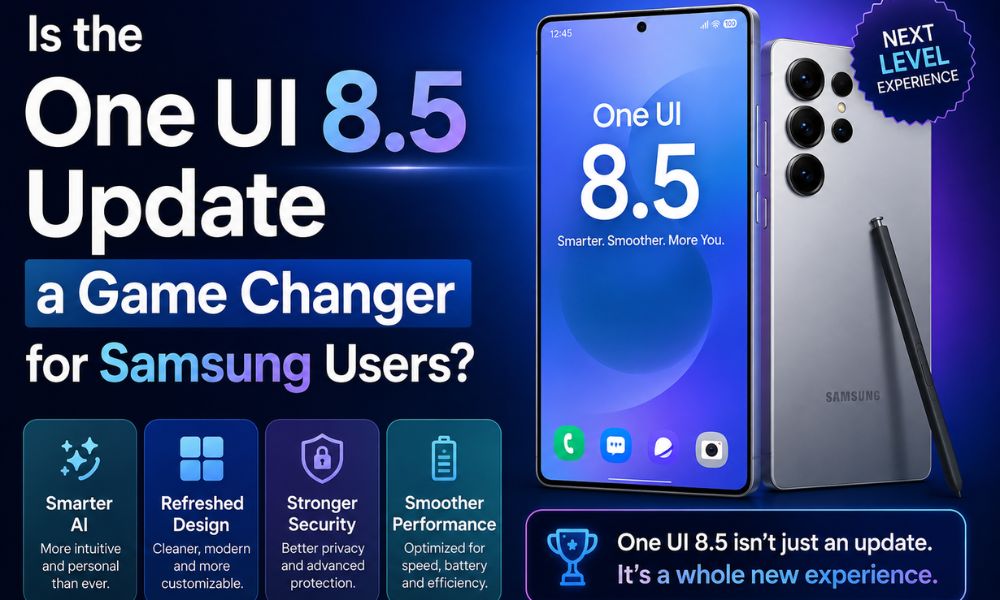
Samsung has officially introduced One UI 8.5, a major mid-cycle software update based on Android 16. While it is not a complete redesign of the Galaxy interface, the update focuses heavily on AI-powered features, deeper customization, smoother usability, and stronger privacy tools.
One UI 8.5 also expands support across flagship, foldable, tablet, and selected mid-range Galaxy devices, making it one of Samsung’s broadest ecosystem updates so far. The update reflects Samsung’s current strategy of combining Galaxy AI with practical everyday improvements instead of only focusing on visual changes.
From redesigned interface elements and advanced camera tools to smarter call screening and enhanced Quick Share compatibility, One UI 8.5 aims to improve the overall Galaxy experience for both casual users and productivity-focused consumers.
Refined Interface and Better Visual Experience
One UI 8.5 introduces several visual improvements inspired by Samsung’s evolving “Ambient Design” approach. The interface now feels cleaner, smoother, and more modern across supported Galaxy devices.
One of the biggest upgrades is the fully customizable Quick Panel. Users can now move, resize, rotate, or completely remove toggles and sliders. Brightness and volume controls can also be repositioned based on personal preference, giving Galaxy users far more flexibility than previous One UI versions.
Samsung has also introduced liquid-style visual elements with pill-shaped buttons, floating bars, and softer animations across core apps like:
- Settings
- Gallery
- Calculator
- Samsung Notes
- Dialer
- Messages
These subtle design changes make navigation feel smoother while improving one-handed usability. Another major usability improvement is the repositioning of search bars to the bottom section of many apps. Since most users operate smartphones with one hand, the lower placement makes searching faster and more comfortable.
The lock screen also receives several improvements. Samsung added three new clock styles, dynamic wallpapers, AI Weather Effects, and automatic wallpaper repositioning. These changes allow users to personalize the lock screen without requiring third-party customization apps.
Additionally, One UI 8.5 introduces partial screen recording, allowing users to capture only selected portions of the display. This feature is useful for tutorials, gaming clips, presentations, and content creation.
Galaxy AI Becomes More Practical
Samsung continues expanding Galaxy AI in One UI 8.5, and this update focuses more on practical intelligence rather than experimental features.
The company has improved tools like:
- Now Nudge
- Now Brief
- Smart Suggestions
- AI Call Screening
These features are now more context-aware and can provide better recommendations based on user activity, schedules, and app usage patterns.
Samsung’s Bixby assistant also receives a major upgrade through Perplexity integration. The system separates on-device tasks from web-based queries more efficiently. For example:
- Bixby can handle local actions like opening apps, changing settings, or creating reminders.
- Perplexity-powered responses improve web searches and informational queries.
This combination helps Samsung compete more directly with AI systems from Google and Apple.
One UI 8.5 also expands Creative Studio and Photo Assist features. Users can now generate wallpapers, greeting cards, and edited images using text prompts. The system can combine inspiration images with written descriptions to create more personalized content.
Smarter call screening is another highlight. Unknown calls can now be handled automatically with live transcription and quick response options. Users can decide whether to answer, reject, or block calls after viewing the AI-generated conversation summary.
Samsung also improved Audio Eraser and Voice Focus tools. These features now work across more third-party applications instead of being limited to Samsung apps. Background noise reduction during calls, videos, and voice recordings is noticeably better.
Camera and Media Features Receive Major Improvements
Samsung continues focusing heavily on camera performance in One UI 8.5. The update brings several new features aimed at creators, vloggers, and photography enthusiasts.
One of the standout additions is real-time Log video preview support. This gives professional users greater control over color grading and post-production workflows while recording videos.
Other camera improvements include:
- Dual recording mode
- Improved Night Mode
- 24MP default image output
- Better autofocus control
- Auto Motion Photos
These upgrades help Samsung improve both casual photography and professional-level content creation.
Document scanning also becomes more advanced. Users can now scan multiple pages and instantly create cleaned-up PDF files directly from the camera interface. This feature is especially useful for students, office users, and business professionals.
Stronger Privacy and Security Features
Privacy and security remain important priorities in One UI 8.5. Samsung has added several new protection tools to help users manage permissions and device security more effectively.
The new Privacy Alerts system notifies users when apps access sensitive permissions like:
- Camera
- Microphone
- Location
- Clipboard
Samsung also upgraded Theft Protection features, making it harder for stolen devices to be reset or misused without proper authentication.
Another interesting addition is the software-level Privacy Display feature available on supported Galaxy devices. This tool limits screen visibility from side angles to improve privacy in public places.
The Auto Blocker system has also been refined. Users can temporarily disable restrictions when necessary without permanently turning off security protections.
Better Connectivity Across Devices
Samsung is improving ecosystem integration in One UI 8.5, especially for users who own multiple Galaxy products.
One of the most talked-about features is AirDrop-like sharing support via Quick Share for Apple devices. Compatible Galaxy phones can now transfer files more easily with nearby Apple products, reducing ecosystem limitations.
Samsung also introduced Family Device Sharing, which combines several ecosystem tools together, including:
- Quick Share
- Camera Share
- Storage Share
- Auto Hotspot
- Multi Control
This feature simplifies connectivity between Galaxy smartphones, tablets, and PCs.
Bluetooth Auracast support has also improved. Users can now broadcast or listen to audio streams more efficiently using supported earbuds and audio devices.
Smarter File Management and System Optimization
Samsung made smaller but useful improvements across the system interface as well. The Gallery app can now automatically organize screenshots and reduce clutter. The Settings menu has cleaner headings and improved categorization for easier navigation.
Samsung also added:
- Finder shortcuts for faster system-wide searches
- Storage Share improvements
- Better file management tools
These upgrades improve productivity while making the operating system feel more polished.
Eligible Devices and Rollout Timeline
Samsung is expanding One UI 8.5 support across a wide range of devices.
Galaxy S Series
Supported flagship devices include:
- Galaxy S26 Series
- Galaxy S25 Series
- Galaxy S24 Series
- Galaxy S23 Series
- Galaxy S22 Series
The rollout first began in Korea on May 6, 2026 for Galaxy S25 and Galaxy S26 devices. Wider global availability started from May 11, 2026 across regions like India, Europe, North America, Southeast Asia, Hong Kong, Taiwan, and Latin America.
Galaxy Z Fold and Flip Devices
Supported foldables include:
- Galaxy Z Fold 7
- Galaxy Z Flip 7
- Galaxy Z Fold 6
- Galaxy Z Flip 6
- Galaxy Z Fold 5
- Galaxy Z Flip 5
Older foldable models may receive limited support depending on regional confirmation.
Galaxy Tablets
Samsung is also bringing the update to tablets such as:
- Galaxy Tab S11
- Galaxy Tab S11 Ultra
- Galaxy Tab S10+
- Galaxy Tab S10 Ultra
- Older Tab S8 and Tab S9 models are expected to receive the update later.
Galaxy A, M, and F Series
Samsung plans to extend One UI 8.5 to selected mid-range devices including:
- Galaxy A36
- Galaxy A37
- Galaxy A54 to A57
- Equivalent Galaxy M and F models
However, some advanced AI features may remain exclusive to flagship devices because of hardware limitations.
Final Thoughts
One UI 8.5 is not simply a minor Android 16 update. Samsung has focused on refining the overall Galaxy experience through smarter AI integration, stronger customization options, improved camera tools, and better ecosystem connectivity.
The update balances visual refinement with practical everyday functionality. Features like customizable Quick Panels, advanced AI call screening, Creative Studio tools, improved camera controls, and enhanced privacy protections make One UI 8.5 one of Samsung’s most feature-rich software updates in recent years.
For flagship Galaxy users, One UI 8.5 delivers a more polished premium experience. Meanwhile, selected mid-range Galaxy devices also benefit from many usability and security improvements, helping Samsung maintain consistency across its ecosystem.
As AI becomes a core part of modern smartphones, One UI 8.5 shows Samsung’s continued effort to make Galaxy devices smarter, more customizable, and easier to use in daily life.