
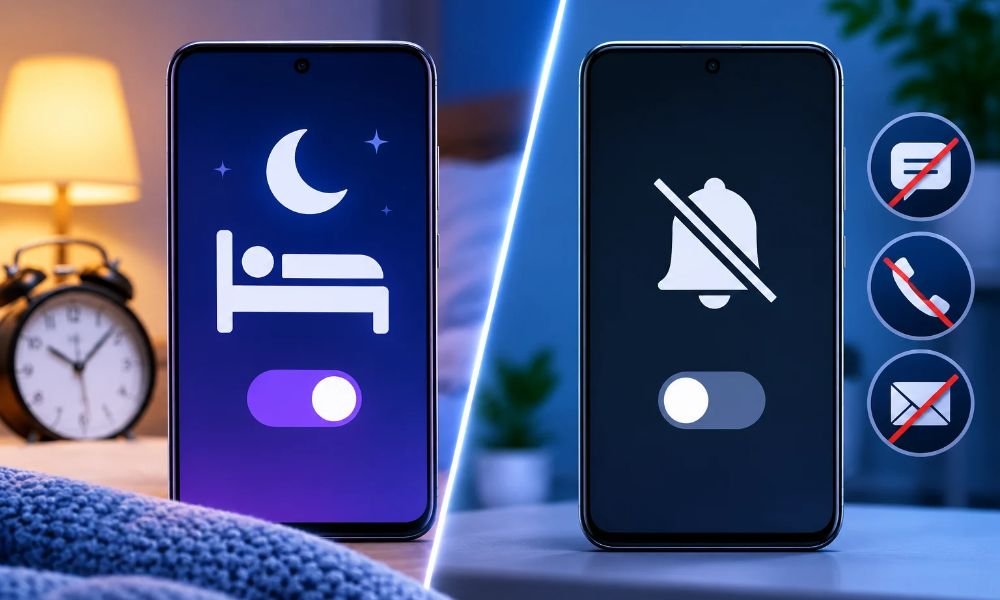
Android smartphones offer several useful features to help users manage their screen time, reduce distractions, and maintain a better daily routine. Among them, Bedtime Mode and Sleep Mode can sound similar, but their functionality and purpose are different.
The major difference between Bedtime Mode / Sleep mode on Android is how each feature handles your smartphone during nighttime hours. Bedtime Mode focuses on reducing distractions while keeping your phone operational, whereas Sleep Mode, when referring to automatic power on/off scheduling, switches your smartphone off and turns it back on at a selected time.
Many users confuse these two features because both are associated with nighttime usage. However, they don’t necessarily work in the same way, and their availability depends on your Android version and smartphone manufacturer. Many Android users often get confused between Do Not Disturb Mode and Bedtime Mode because both offer features that help reduce distractions, but each has a different purpose.
For example, if you want to silence unnecessary notifications while keeping your phone available for emergency calls, Bedtime Mode is a suitable option. On the other hand, if you want your smartphone to switch off automatically during sleeping hours, you can use the automatic power scheduling feature if your device supports it.
Let’s understand their major differences, functionality, benefits, and when you should use each feature.
What Is Android Bedtime Mode?
Android Bedtime Mode is a Digital Wellbeing feature designed to reduce smartphone distractions during sleeping hours. It helps users create a peaceful environment by automatically changing selected phone settings according to their bedtime schedule.
Bedtime Mode automatically changes your Android’s settings at night, so you don’t have to manually adjust notifications, display brightness, or other settings every day. Bedtime Mode does not guarantee better sleep; it ultimately depends on your habits and how much you rely on your phone before bedtime. It simply helps reduce distractions, promote relaxation, and support healthier sleep habits.
Once activated, it can perform several functions:
- Silence notifications: Prevent unnecessary alerts from disturbing you while sleeping.
- Enable Do Not Disturb: Silence incoming calls and notifications according to your preferences.
- Grayscale display: Change your colourful smartphone screen to black and white.
- Dim the screen: The biggest advantage of Bedtime Mode is that it minimizes visual distractions, making your phone less distracting when you use it at night.
- Schedule bedtime: Automatically activate the feature at your preferred sleeping time.
One important thing to understand is that Bedtime Mode does not switch off your smartphone. You can still access applications, browse the internet, make calls, and use other features silently. Its primary purpose is to encourage healthier smartphone habits rather than save battery power.
Many users operate their smartphones in the dark with the lights switched off, which can cause eye strain and discomfort. The dim screen feature helps reduce screen brightness at night, making it more comfortable to use your smartphone and minimizing visual distractions.
What Is Sleep Mode on Android?
Sleep Mode can have different meanings depending on your smartphone manufacturer and Android version. In this comparison, we are referring to the automatic power on/off scheduling feature available on some Android smartphones.
Unlike Bedtime Mode, which adjusts selected settings, this functionality allows users to schedule when their smartphones automatically switch off and turn back on.
For example, you can configure your smartphone to:
- Automatically switch off at 11:00 PM.
- Remain powered off during your sleeping hours.
- Automatically switch on at 7:00 AM.
When the device is powered off, you cannot normally receive calls, messages, or notifications until it turns on again. With Sleep Mode, you may miss important notifications or updates, whereas Bedtime Mode allows you to manage interruptions according to your preferences without missing essential information.
However, this functionality is not available on every Android smartphone. Some manufacturers also use Sleep Mode to describe other nighttime or battery-management features.
Therefore, you should check your device settings before assuming that Sleep Mode always means automatic power scheduling.
Bedtime Mode vs Sleep Mode: Major Differences
Although both features are associated with nighttime smartphone usage, their functionality is quite different.
1. Main Purpose
The first and most important difference is their primary purpose. Bedtime Mode focuses on reducing distractions and preparing you for rest. It helps you avoid unnecessary notifications, colourful displays, and frequent smartphone interactions.
On the other hand, Sleep Mode, when referring to automatic power scheduling, focuses on switching off your smartphone during selected hours. In simple terms, Bedtime Mode helps you disconnect from distractions, while automatic power scheduling completely switches off your device.
2. Notifications and Incoming Calls
Notifications are another major difference between these two features. Bedtime Mode offers a way to silence late-night notifications without completely disconnecting your smartphone. You can configure Do Not Disturb and allow selected contacts to reach you when necessary. However, Sleep Mode disconnects your interaction with your phone and may restrict access to certain features, depending on your device settings.
For example, if your family members need to contact you during the night, you can configure exceptions for their calls. However, when your smartphone is automatically switched off through a power scheduling feature, you cannot normally receive incoming calls or notifications. This makes Bedtime Mode more suitable for people who want to remain reachable during sleeping hours.
3. Screen Display and Brightness
Bedtime Mode can change your smartphone display to reduce visual distractions. Depending on your device, it can enable grayscale, dim the screen, and activate other nighttime display options. Grayscale changes colourful app icons and content into shades of black and white. This may make social media applications less visually engaging.
Sleep Mode, when used for automatic power scheduling, works differently. Your smartphone screen turns off completely because the device is powered down. There is no opportunity to use your smartphone during this mode. Therefore, Bedtime Mode changes how your screen looks, whereas automatic power scheduling turns the entire device off.
4. Background Applications and Activities
Another important difference is how both features handle background activities. When Bedtime Mode is enabled, your smartphone remains operational. Applications, network connections, and background processes can continue working according to their normal settings and Android restrictions.
For example, you can still receive allowed notifications, maintain internet connectivity, and use applications whenever required. However, when your smartphone is powered off through automatic scheduling, normal applications and background processes stop running. This means you cannot expect your apps to continue their usual activities while the phone is switched off.
5. Battery Consumption
If you are looking for a feature that helps manage battery usage, you should understand this difference. Bedtime Mode is not primarily designed to save battery power. Although dimming the display or using dark themes may reduce power consumption in certain situations, the smartphone remains active.
Automatic power scheduling, on the other hand, stops normal smartphone operations while the device is switched off. As a result, it does not consume power in the same way as an operating smartphone, although a small amount of battery power may still be used for internal hardware functions. Therefore, automatic power scheduling is more suitable if your primary intention is to switch off your smartphone completely.
6. Smartphone Availability
Do you want to remain available for important calls during the night? If yes, Bedtime Mode is generally the better choice. Your smartphone remains switched on, and you can customize which calls and notifications are allowed.
For instance, you can silence social media notifications while allowing calls from important contacts. However, with automatic power scheduling, your smartphone becomes unavailable while powered off. You cannot use applications or receive normal incoming calls during that period. This is one of the most practical differences between these features.
7. Scheduling and Automation
Both features can involve scheduling, but their automation works differently. Bedtime Mode allows you to select your sleeping hours and automatically adjust supported settings during that period.
For example, you can schedule it to activate at 10:00 PM and deactivate at 7:00 AM. Automatic power scheduling lets you choose when your smartphone should switch off and turn back on. The difference is that Bedtime Mode changes selected settings, while automatic power scheduling controls the device’s power state.
Bedtime Mode vs Sleep Mode
Here is a quick comparison to help you understand the major differences.
| Features | Bedtime Mode | Sleep Mode (Auto Power On/Off) |
|---|---|---|
| Main purpose | Reduce distractions | Switch off the smartphone |
| Notifications | Silenced according to settings | Unavailable while powered off |
| Incoming calls | Can allow selected contacts | Not normally available |
| Display | Grayscale and dimming options | Completely off |
| Background apps | Continue running | Stop normal activity |
| Internet connection | Remains available | Disconnected when powered off |
| Battery usage | Phone remains operational | Normal operating consumption stops |
| Smartphone availability | Remains usable | Unavailable while switched off |
| Automation | Changes selected settings | Controls power on/off schedule |
| Best for | Better nighttime phone habits | Scheduled device shutdown |
When Should You Use Bedtime Mode?
You should choose Bedtime Mode if you frequently receive notifications, messages, and unnecessary alerts during sleeping hours. It is particularly useful if you want to keep your smartphone switched on without allowing every notification to interrupt your rest.
For example, before Bedtime Mode, you might need to manually enable Do Not Disturb, reduce screen brightness, and silence notifications. With Bedtime Mode, you can configure these options once and let your smartphone activate them automatically. It is also useful if you spend too much time scrolling through social media before sleeping. Grayscale and other display settings may make your phone less engaging.
However, Bedtime Mode does not block every application or prevent you from using your smartphone. You still need to control your screen time.
When Should You Use Sleep Mode?
If your smartphone supports automatic power on/off scheduling, you can use it when you want your device to switch off completely during specific hours. For example, if you don’t want to use your smartphone overnight and don’t need to receive calls during that period, automatic power scheduling may be useful. It can also help you establish a fixed period when your smartphone is unavailable.
However, remember that you may miss important calls, messages, and notifications while your phone is switched off. If you need to remain reachable for emergencies, Bedtime Mode with customized Do Not Disturb settings is generally a better option.
Final Verdict
Both features serve different purposes, so choosing between them depends on your requirements. If you want to reduce distractions, silence unnecessary notifications, and maintain a consistent sleeping routine, Android Bedtime Mode is a more practical choice. It keeps your smartphone operational while automatically adjusting selected settings during your sleeping hours.
However, if your primary goal is to switch off your smartphone completely at a particular time, automatic power on/off scheduling is more suitable, provided your device supports it.
Use Bedtime Mode if you want to stay available for important calls while enjoying a quieter sleeping environment. Choose automatic power scheduling only when you are comfortable keeping your smartphone completely switched off.
Remember, neither feature guarantees better sleep. Your daily habits, screen time, and sleeping environment also play an important role so it depends on you.
FAQs
1. Is Bedtime Mode better than Sleep Mode on Android?
Bedtime Mode is better if your goal is to reduce notifications and smartphone distractions while sleeping. Automatic power scheduling is more suitable if you want your device to switch off completely during selected hours.
2. Does Bedtime Mode turn off mobile data?
No, Bedtime Mode does not normally turn off mobile data or Wi-Fi. Your smartphone remains connected to the internet unless you manually change your connectivity settings.
3. Can I receive emergency calls in Bedtime Mode?
Yes, You can configure Do Not Disturb exceptions to allow calls from selected contacts, depending on your Android device and settings.
4. Does Sleep Mode save more battery than Bedtime Mode?
If Sleep Mode refers to automatic power off, it generally uses less power than keeping your smartphone operational. Bedtime Mode does not completely switch off the device.
5. Can I schedule Bedtime Mode automatically?
Yes, Supported Android devices allow you to select your preferred bedtime and wake-up schedule. Your smartphone automatically activates and deactivates the selected settings.