
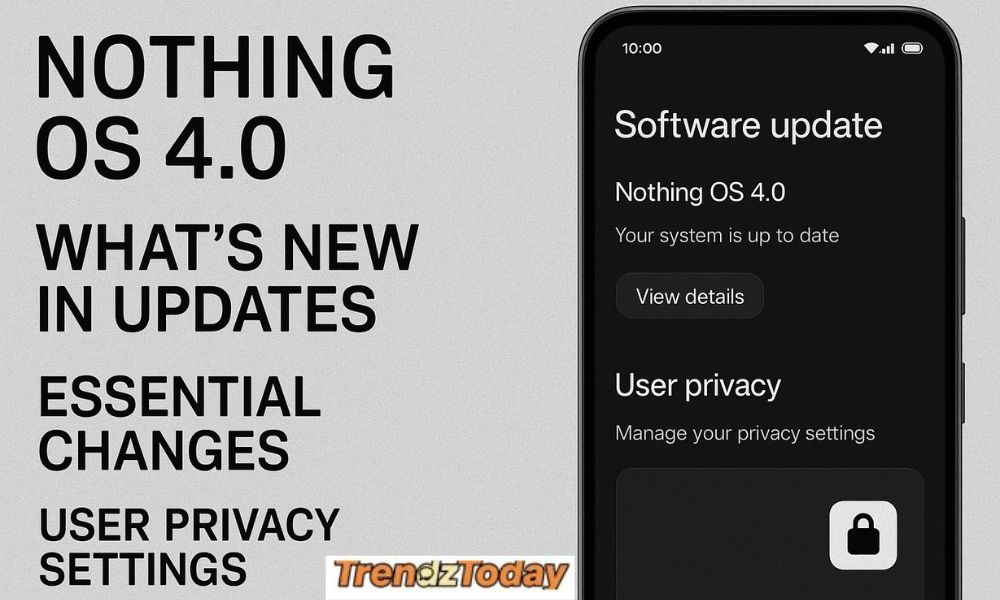
Currently, Nothing is in the process of rolling out Nothing OS 4.0, which promises to be one of the best updates that nothing has released thus far in terms of excellence within features and performance. This latest version contains very significant upgrades to the camera experience, UI layout, animations, and privacy of the system. If you currently own a Nothing Phone 3a and are waiting for the release of Nothing OS 4.0, this will inform you of everything that you can expect when the updated version hits your device.
For quite some time, Nothing has concentrated on providing its users with clean, simple, and seamless software experiences while minimizing any type of bloat. As discussed previously, Nothing OS 4.0 has gone well beyond that mission. You will find a dramatically redesigned version of the previously included system apps along with several different types of AI-based privacy tools designed to keep your data secure. All in all, when compared to previously released versions of this operating system, Nothing OS 4.0 represents the most up-to-date, user-friendly, and efficient version of this operating system that has been released to date.
The following is a comprehensive overview of all new features and improvements that are coming with Nothing OS 4.0.
Improved Camera Tools: Sharper Quality, Greater Control
Nothing OS 4.0 brings along one of the largest camera overhauls to date, making photography smoother, quicker, and more accurate. These new camera tools will aid both the average user and the creator in search of more control.
Key Camera Improvements in Nothing OS 4.0 for Nothing Phone 3a:
Faster Shutter & Processing
Everything from optimizing image processing to minimizing shutter lag to sharper photos in tricky lighting has improved. The processing pipeline is more efficient now, which translates into faster HDR capture and better motion handling.
All-new Pro Mode
The redesigned Pro Mode now lets users fine-tune the ISO, shutter speed, focus, and white balance with a cleaner slider-based UI. It’s ideal for content creators with histogram support and RAW+JPEG capture options.
New AI Scene Detection
Nothing OS 4.0 brings a host of intelligent scene detection, powered by on-device processing. Whether one is capturing landscapes, food, pets, or night scenes, the camera will automatically enhance color and exposure.
Enhanced Portrait Mode
Better subject separation and natural bokeh grant more professional-looking portrait shots.
Low-Light Enhancements
Night mode now offers brighter, clearer images with better noise control.
These changes especially make the Nothing OS 4.0 update for Nothing Phone 3a quite exciting for photography enthusiasts.
Changes to the User Interface: Newer, Cleaner Style, and More Fluid Animation
While Nothing has been a minimalist OS since its inception, Nothing OS 4.0 pushes the minimalistic concept even further.
New Home Screen Layout
(Spacing, Icon Alignment, Animation, for an Overall Smoother Experience) The spacing, alignment of icons, and animation, for the Home Screen in Nothing OS 4.0, make for a smoother experience as users navigate through the OS. The iconic dot matrix-style of icons are rendered with more rounded edges than in previous versions.
New Quick Settings Menu
Quick settings are now easier to navigate with large icons, clean/separated categories, and greater contrast, as well as the ability for users to customize individual panel tiles more than before.
Updated Weather, Clock and Recorder Applications
With the newest version of Nothing OS 4.0, nothing has updated many of the default system applications with an updated layout and a more seamless, easier interface experience. The weather application will now have animated graphics and will change the way the number of items displayed in the app. The recorder application now offers Cloud Sync capability and the clock application now offers new alarm tones to choose from.
Enhanced Always-On Display
The AOD now offers a variety of functional and interpretation features including
- New Widget (Style) Types
- Battery-Friendly Animations.
- Visibility in Outdoor Environments.
Enhanced Glyph Interface
Nothing’s Glyph lights will now include additional capabilities such as:
- Notification Bundling.
- Smart Ring Tone (Aura).
- App Triggering Functionality.
- Adaptive LED Panel Brightness.
For users waiting for Nothing OS 4.0 for Nothing Phone 3a devices, the additional features available in the latest edition of the user interface will be most beneficial, since the No 3a previously had access to the clean style and simplicity offered by Nothing’s UI for its phones.
App Privacy Enhancements: More Control, More Transparency
App Privacy Enhancements: More Control, More Transparency
Privacy has been a core point of emphasis for Nothing OS 4.0, together with features that give users more control over how apps can use data and sensors.
Live Privacy Dashboard
A dedicated dashboard displays the applications that accessed:
- Camera
- Microphone
- Location
- Clipboard
- Photos & media
- In real-time or historically.
This helps users to instantly spot suspicious activity.
Per-App Permission Controls
You can now limit apps to:
- One-time permissions
- Foreground-only access
- Auto-reset permissions for unused apps
Secure Photo Picker
Instead, today’s applications can request access only to selected images, not full gallery access.
Clipboard Auto-Clear
Sensitive copied data is automatically wiped after a short interval, thus keeping your privacy intact.
Private Mode
A new privacy layer allows users to hide apps or lock them with fingerprint authentication. It’s most useful for messaging and financial applications. These additions make Nothing OS 4.0 for Nothing Phone 3a not only faster and cleaner but also significantly more secure.
Performance & Battery Optimization
Whenever an update is made, expectations are always high for an improvement in some way, and Nothing OS 4.0 certainly does that by achieving those expectations and then some.
More efficient Memory Management –
Apps will not have to worry about being removed from memory when running under heavy load anymore (better RAM efficiency).
More Stable UI FPS –
The UI will be smoother even during times of heavy multitasking (better UI FPS stability).
Improved Background Task Management –
The use of artificial intelligence to allocate resources to different background tasks will improve Gaming and Productivity Performance.
Battery Management Systems –
The new “Optimized Charging” mode protects the battery over time by altering the speed of the charge while sleeping (overnight).
Quicker Application Launches –
Applications will now launch faster due to improvements in system caching (a faster application launch).
Should You Update to Nothing OS 4.0 for Nothing Phone 3a?
Is it Worth Upgrading to Nothing OS 4.0 on a Nothing 3 Phone? Yes! It’s One of the Biggest Updates that Has Been Released, by Nothing to Date.
Upgrade if You Want:
- More Fluid Animations
- Extended Battery Life
- Increased Privacy
- Better Camera Tools
- A Simplistic, Contemporary User Interface
Nothing OS 4.0 Reflects Nothing’s Dedication to Enhancing the Overall User Experience through Well-Crafted and Insightful Improvements, Rather than Using Unnecessary or Unproductive Features.
Final Thoughts
The rollout of Nothing OS 4.0 is a major step forward for Nothing’s software ecosystem, presenting users with elevated camera capabilities, a further refined UI, and strong privacy features to give them a more premium, polished smartphone experience. For future-proofing, performance improvements and battery optimizations make everyday usage significantly smoother.
Users waiting for Nothing OS 4.0 for Nothing Phone 3a can expect a leap in terms of stability, speed, and overall usability once the update arrives. Nothing really builds on its identity in the Android space with clean design, minimalism, and a focus on user-centric features—and in OS 4.0, that feels solidly realized.
FAQ
1) What features have been added to Nothing OS 4.0 for the Nothing Phone 3a?
With Nothing OS 4.0 comes a redesign of many user interface (UI) elements, improved animation performance, better photographic tools for device users, and also provides consumers with improvements in battery life through enhanced battery-saving capabilities. As part of Nothing OS 4.0 users can now enjoy a better user experience when using their device because of more responsive display interfaces and application opening times along with cleaner system applications.
2) Will the update to Nothing OS 4.0 result in better photographs taken on the Nothing Phone 3a?
Absolutely! The improvements made to Nothing OS 4.0 allow for better camera performance in low-light conditions through the use of improved image processing speeds. Furthermore, users can expect the camera to take advantage of faster shutter speeds as well as improved scene detection through the use of machine learning (ML) and an improved portrait edge-detection algorithm (Edge-D).
3) What are some examples of changes to the UI after upgrading to Nothing OS 4.0?
There will be many changes to the default layout of the user interface after upgrading to Nothing OS 4.0 including the following items: a new ‘clean’ home screen layout; redesigned quick settings menus with new design elements including icons that now have ‘3D’ animation; smoother transitions between applications; updated support for widgets; new styles of AODs; and updated applications such as Weather, Recorder, and Clock.
4) When can users expect to receive the official version of Nothing OS 4.0 on their Nothing Phone 3a?
Although the rollout of Nothing OS 4.0 has already been started, users who own a Nothing Phone 3a will likely receive the update in a phased manner. This update rollout will depend upon the geographical area in which a user resides, the amount of server load being experienced, and the batch size of models sold through each different reseller. Users can check for updates to their device in the Settings app and look for Software Updates.
5. Is it safe to upgrade immediately to Nothing OS 4.0?
Yes, the Nothing OS 4.0 is stable and tested, but a backup before installing is advisable. Early versions may receive small patches after rollout, fixing minor bugs.
6. Will the Nothing OS 4.0 update delete any data?
Generally, no, your data is safe, but it’s always good practice to make a backup before installing major software updates.