
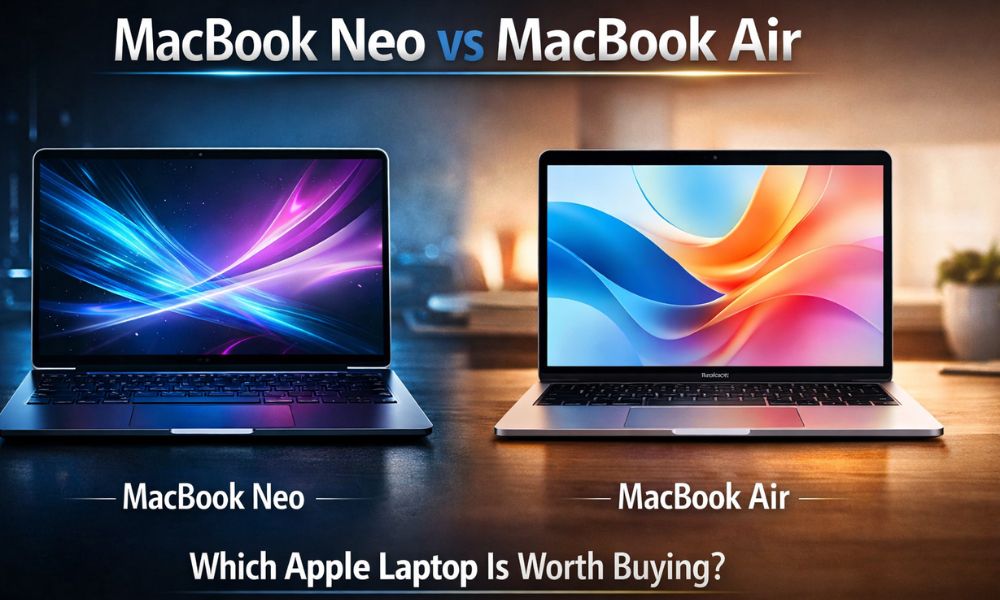
Apple laptops are known for their quality, smooth experience with macOS, and long battery backup. However, with the launch of the MacBook Neo, users are now comparing it with the popular MacBook Air laptop. Both are lightweight, powerful, and suitable for productivity, but they are designed for different users.
If you are planning to buy a new Apple laptop, it is important to know the difference between MacBook Neo and MacBook Air to make the right purchase decision for you. Here is a detailed comparison of both laptops based on processors, design, screen, and more.
MacBook Neo vs MacBook Air
| Feature | MacBook Neo | MacBook Air |
|---|---|---|
| Processor | Apple A18 Pro chip with advanced AI performance | Apple M3 / M4 chip depending on model |
| Performance | Optimized for AI tasks, multitasking, and efficiency | Strong performance for daily tasks and creative work |
| Display Size | Around 13.6-inch Liquid Retina display | 13.6-inch or 15.3-inch Liquid Retina display |
| Refresh Rate | Standard 60Hz | Standard 60Hz |
| Build Quality | Premium aluminum unibody design | Premium aluminum unibody design |
| Weight | Around 1.1 kg (approx) | Around 1.24 kg |
| Keyboard | Magic Keyboard with large trackpad | Magic Keyboard with Force Touch trackpad |
| Battery Life | Up to 20 hours video playback | Up to 18 hours battery life |
| Ports | USB-C / Thunderbolt ports | Thunderbolt / USB-C ports |
| Connectivity | Wi-Fi 6E support | Wi-Fi 6E support |
| Operating System | macOS latest version | macOS latest version |
| Target Users | Students, professionals, lightweight users | Students, creators, and productivity users |
| Price Range | Expected to be more affordable | Slightly higher price |
Processor and Performance
| Feature | MacBook Neo | MacBook Air |
|---|---|---|
| Processor | Apple A18 Pro Chip | Apple M3 / M4 Chip |
| CPU Architecture | Advanced mobile-class processor optimized for efficiency | Desktop-class Apple Silicon designed for laptops |
| CPU Performance | Good for everyday tasks like browsing, office work, streaming | Much stronger for multitasking and heavy workloads |
| GPU Performance | Suitable for light graphics work and casual gaming | Better GPU performance for editing, rendering, and creative apps |
| AI / Neural Engine | Strong AI processing for smart features and automation | Powerful Neural Engine for AI workloads and machine learning |
| Multitasking | Smooth for normal daily use | Excellent for heavy multitasking |
| Thermal Efficiency | Very power-efficient chip | Highly optimized performance-per-watt |
| Best For | Students, casual users, portability | Professionals, creators, and power users |
So if you want higher performance, MacBook Air still has an advantage.
Design and Build Quality
| Feature | MacBook Neo | MacBook Air |
|---|---|---|
| Material | Premium aluminum unibody | Premium aluminum unibody |
| Design Style | Slim, compact, modern Apple design | Ultra-thin and minimalist Apple design |
| Thickness | Slightly thinner and compact | Very thin but slightly larger footprint |
| Weight | Around 1.1 kg (approx.) | Around 1.24 kg |
| Portability | Easier to carry for students and travelers | Portable but slightly heavier |
| Color Options | Limited color choices | Multiple Apple color options |
Display Quality
| Feature | MacBook Neo | MacBook Air |
|---|---|---|
| Display Type | Liquid Retina Display | Liquid Retina Display |
| Screen Size | Around 13.6-inch | 13.6-inch / 15.3-inch options |
| Resolution | High-resolution Retina panel | High-resolution Retina panel |
| Brightness | Around 500 nits | Around 500 nits |
| Refresh Rate | 60Hz | 60Hz |
| Best For | Everyday work and entertainment | Productivity and larger screen experience |
Battery Life
| Feature | MacBook Neo | MacBook Air |
|---|---|---|
| Battery Performance | Optimized for long battery life | Excellent battery efficiency |
| Video Playback | Up to 20 hours | Up to 18 hours |
| Web Browsing | Around 15–18 hours | Around 15 hours |
| Charging Port | USB-C charging | MagSafe + USB-C charging |
| Power Efficiency | Highly optimized for daily tasks | Balanced power and performance |
Keyboard and Trackpad
| Feature | MacBook Neo | MacBook Air |
|---|---|---|
| Keyboard Type | Apple Magic Keyboard | Apple Magic Keyboard |
| Typing Experience | Comfortable and responsive | Very comfortable and precise |
| Trackpad Size | Large precision trackpad | Large Force Touch trackpad |
| Gesture Support | Multi-touch gestures | Advanced multi-touch gestures |
| Backlit Keyboard | Yes | Yes |
Connectivity and Ports
| Feature | MacBook Neo | MacBook Air |
|---|---|---|
| USB Ports | USB-C / Thunderbolt ports | Thunderbolt / USB-C ports |
| Charging Port | USB-C | MagSafe charging port |
| Wi-Fi | Wi-Fi 6E | Wi-Fi 6E |
| Bluetooth | Bluetooth 5.x | Bluetooth 5.x |
| External Display Support | Yes | Yes |
| Headphone Jack | Yes | Yes |
Price Comparison
| Feature | MacBook Neo | MacBook Air |
|---|---|---|
| Starting Price | Expected lower price | Slightly higher price |
| Target Users | Students, casual users | Professionals and creators |
| Value for Money | Good for budget Apple buyers | Better for performance users |
| Overall Position | Affordable Apple laptop | Premium lightweight laptop |
Final Verdict
MacBook Neo and MacBook Air are both great Apple devices, and they suit different types of users. If you want an Apple laptop that is light and budget-friendly and can be used for general usage, the best choice is the MacBook Neo.
But if you want something that is powerful and can be used for multitasking and other demanding tasks, the best choice is the MacBook Air with the M-series chip.
In simple terms, the MacBook Neo is best suited for budget users and students, while the MacBook Air is best suited for performance-oriented users who want something powerful.
FAQ
What is the advantage of a MacBook Neo?
Weighing only 2.5 pounds and powered by Apple’s new A18 Pro chip, this is a perfect laptop for students and people who use computers every day.
Focused on being light, inexpensive and fast for everyday activities such as internet surfing, work-related tasks and watching videos, we expect the MacBook Neo to cost less than most other Apple laptops but still provide a high quality build and macOS experience.
Is MacBook Air (M4) really the top 1 laptop in the world?
Lightweight MacBook Air M4 chip has great performance, lasts long and is fanless, making it one of the best lightweight laptops. The title of the best laptop in the world relies heavily on user requirements.
The MacBook Air is considered one of the best overall for portability and everyday productivity, but if you have heavy workloads, such as professional video editing and detailed 3D rendering, you may want to consider something more powerful; i.e. MacBook Pro Series.
Should I upgrade MacBook Air from MacBook Neo?
For improved performance, enhanced GPU performance, and increased multitasking capabilities, it is logical to upgrade from a MacBook Neo to an Air.
The M-series chips found in an Air are optimized for running intensive applications (such as photo or video editing or programming). If you’re mostly going to browse the internet, work with Office applications, and watch streaming videos on your computer, then a MacBook Neo may be more than adequate for your usage scenarios.
Is MacBook Neo better than iPad?
The MacBook Neo and iPad serve different purposes. The MacBook Neo runs macOS, which is better for multitasking, professional software, and productivity tasks.
The iPad runs iPadOS, which is optimized for touch interaction, portability, and tablet use. If you need a device for typing, work tasks, and full desktop applications, the MacBook Neo is the better choice. For drawing, note-taking, and media consumption, an iPad may be more convenient.
MacBook or an iPad: which is best for editing?
MacBooks offer superior choices for video and photo editing and professional production due to their ability to support professional desktop software like Final Cut Pro, Adobe Photoshop and the supporting applications and tools.
While there are editing apps available on the iPad like LumaFusion and Lightroom, the iPad’s operating system is more limited than macOS; therefore, the majority of serious creators and professionals prefer the MacBook for editing work.